
Notice
Recent Comments
Recent Posts
Link
| 일 | 월 | 화 | 수 | 목 | 금 | 토 |
|---|---|---|---|---|---|---|
| 1 | 2 | |||||
| 3 | 4 | 5 | 6 | 7 | 8 | 9 |
| 10 | 11 | 12 | 13 | 14 | 15 | 16 |
| 17 | 18 | 19 | 20 | 21 | 22 | 23 |
| 24 | 25 | 26 | 27 | 28 | 29 | 30 |
| 31 |
Tags
- C++
- Subscribe
- LeetCode
- 오늘도 우라라
- 프로그래밍
- Linux
- baekjoon
- 리눅스
- 우분투
- 정글리아
- ros
- 기초
- 토픽
- 마리아 DB
- C언어
- ros2
- 데이터 베이스
- mariaDB
- 반복문
- 오늘도 우라라 펫 공략
- 오늘도 우라라 공략
- MSG
- JungOl
- publish
- 등차수열
- 그랑사가
- 오늘도 우라라 펫
- while
- topic
- 환경설정
Archives
- Today
- Total
하루의 쉼터
[INSTALL] Windows11 WSL + ROS2 install 본문
반응형
Outline : Windows11 WSL + ROS2 install
2023.04.06 - [프로그래밍/ROS] - [Windows] ubuntu20.04 설치 에러 0x800701bc
[Windows] ubuntu20.04 설치 에러 0x800701bc
Winodws에서 ubuntu를 설치하는 경우 microsoft store에서 ubuntu20.04를 설치하게 되는데 * 설치 시 굉장히 오래걸린다. 설치 후 실행하게 되면 아래와 같은 에러를 만날 수 있다. WslRegisterDistribution failed with
changun516.tistory.com
w
* wsl 활성화
dism.exe /online /enable-feature /featurename:Microsoft-Windows-Subsystem-Linux /all /norestart
dism.exe /online /enable-feature /featurename:VirtualMachinePlatform /all /norestart
wsl --set-default-version 2* wsl 지원 목록 확인
wsl --list --online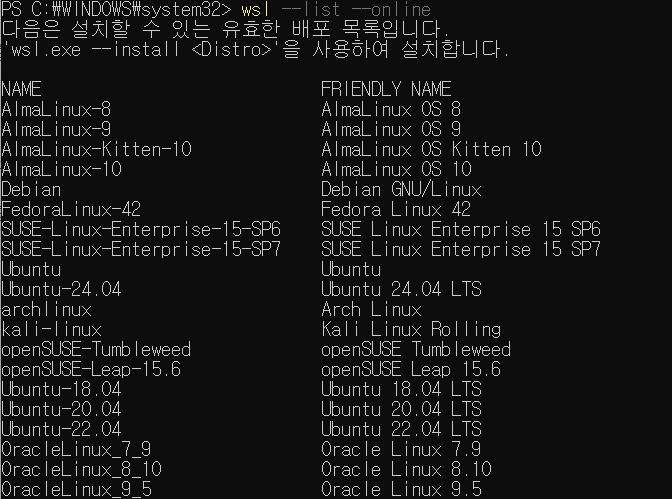
* 설치 하고 싶은 OS 입력
wsl --install -d [Target OS]
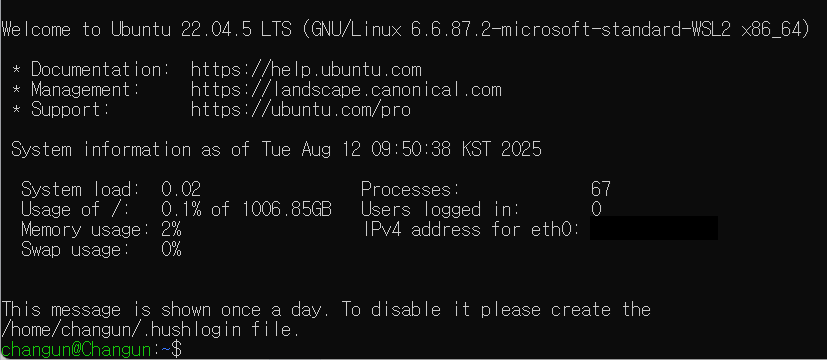
* wsl -> 설치된 ubuntu 접속 방법
wsl -d [container name]* wsl 설치된 목록 보는 법
wsl -l -v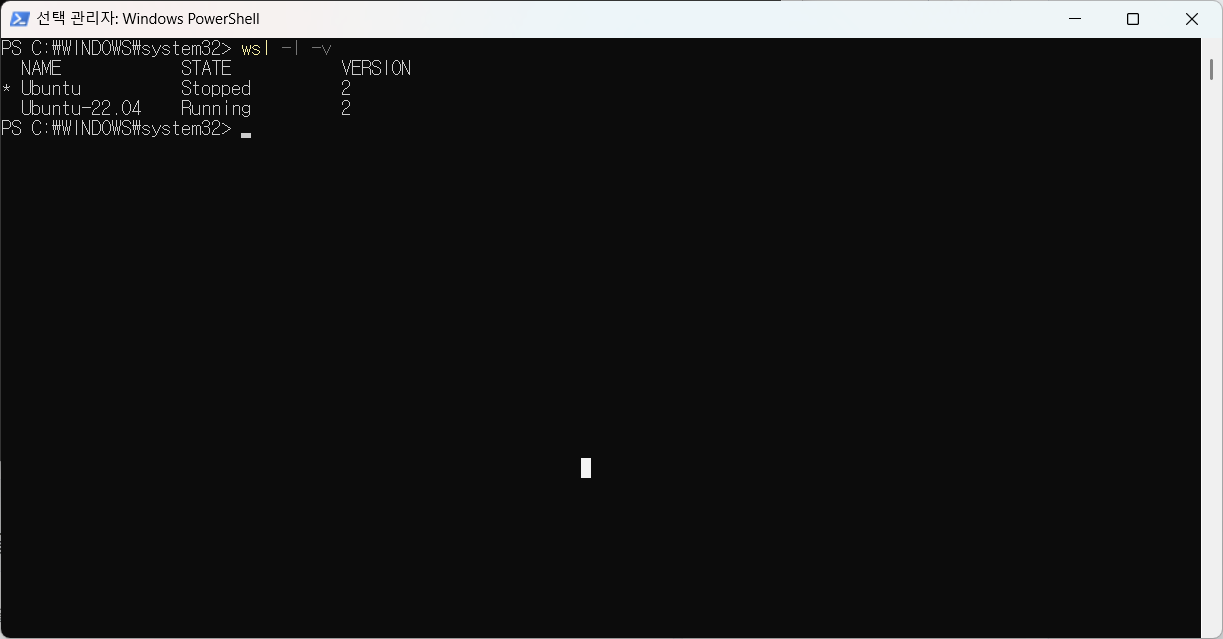
* wsl 지우는법
wsl --unregister [Target]
* wsl --help 를 통해 명령어 확인 가능
* 우분투 패키지 업데이트
sudo apt update && sudo apt upgrade -y
sudo apt install curl gnupg2 lsb-release software-properties-common -y
* ros2 로케일 설정
sudo apt install locales -y
sudo locale-gen en_US en_US.UTF-8
sudo update-locale LC_ALL=en_US.UTF-8 LANG=en_US.UTF-8
export LANG=en_US.UTF-8
* ROS2 저장소 추가
sudo apt install software-properties-common
sudo add-apt-repository universe
* ROS2 gpg 키 추가
sudo apt install curl -y
sudo curl -sSL https://raw.githubusercontent.com/ros/rosdistro/master/ros.key -o /usr/share/keyrings/ros-archive-keyring.gpg
* APT 저장소 등록
sudo apt update && sudo apt install curl -y
export ROS_APT_SOURCE_VERSION=$(curl -s https://api.github.com/repos/ros-infrastructure/ros-apt-source/releases/latest | grep -F "tag_name" | awk -F\" '{print $4}')
curl -L -o /tmp/ros2-apt-source.deb "https://github.com/ros-infrastructure/ros-apt-source/releases/download/${ROS_APT_SOURCE_VERSION}/ros2-apt-source_${ROS_APT_SOURCE_VERSION}.$(. /etc/os-release && echo $VERSION_CODENAME)_all.deb" # If using Ubuntu derivates use $UBUNTU_CODENAME
sudo dpkg -i /tmp/ros2-apt-source.deb
* ROS2 install
sudo apt update
sudo apt upgrade -y
sudo apt install ros-humble-desktop -y
* ROS2 개발자 도구 설치
sudo apt install ros-dev-tools* Test
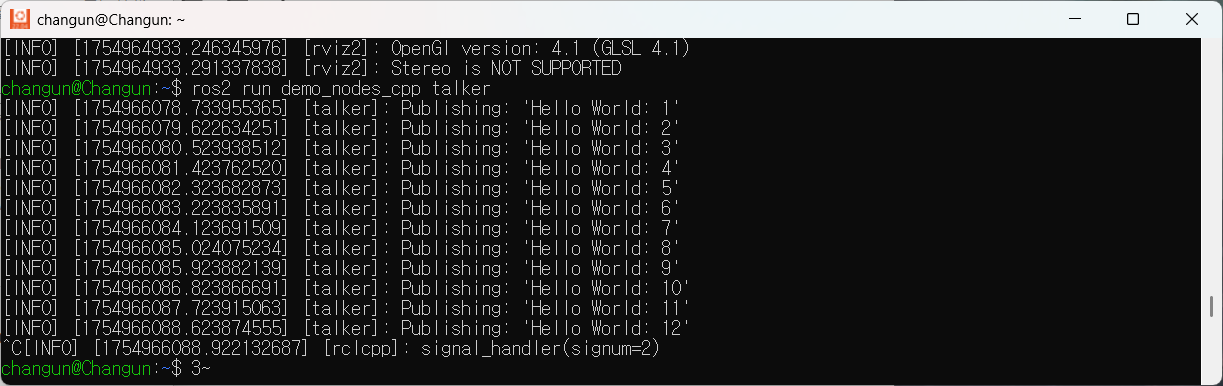
반응형
'프로그래밍 > ROS2' 카테고리의 다른 글
| [BehaviorTree] XML 기초 설명 (0) | 2025.07.18 |
|---|---|
| [ROS2] Behavior Tree 기초 개념 이해 (0) | 2025.07.16 |
| [ROS Simulator] Gazebo Path (0) | 2025.01.22 |
| XSense Ros2 Launch for humble (0) | 2024.11.13 |
| [IDE] 개발 환경 서포트 By VSco (0) | 2023.12.02 |
'프로그래밍/ROS2' Related Articles
more


Comments